

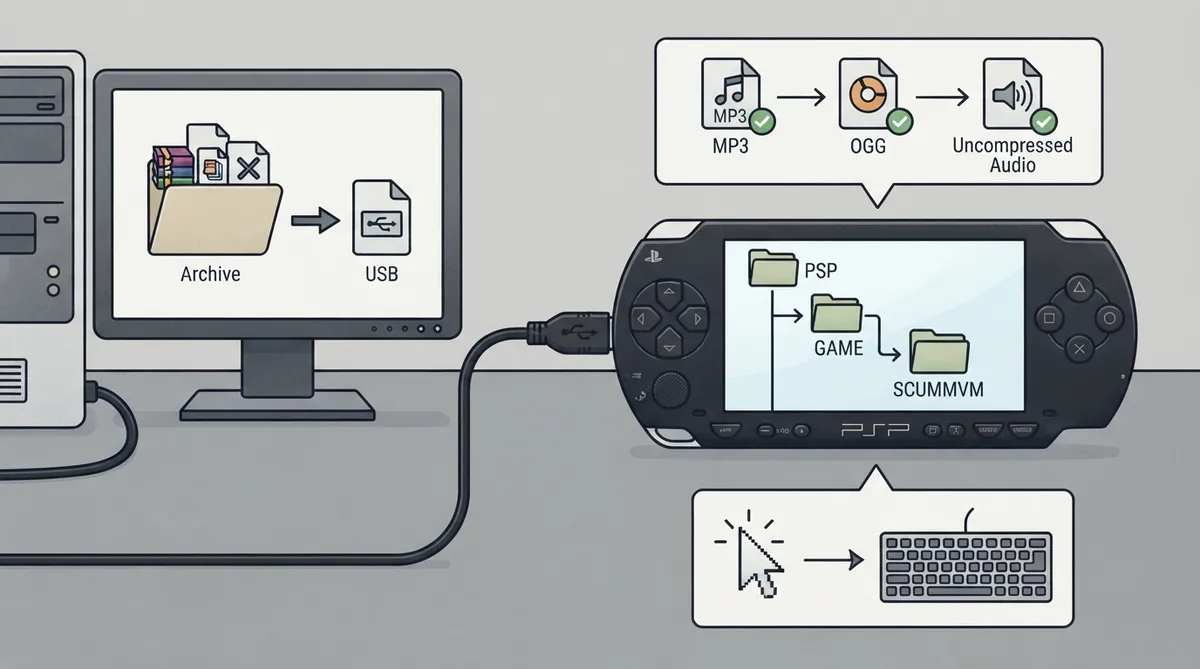
This guide summarizes the official ScummVM documentation page for the PlayStation Portable (PSP). It covers what the documentation says you need, how it describes installing ScummVM and transferring game files, which audio formats it lists, and the documented paths for saves and configuration. It is a summary of published documentation, not a hands-on walkthrough.
Prerequisites
- A homebrew-enabled PSP. The documentation states that how to enable homebrew is outside its scope.
- A computer to download and extract the install files.
Installing ScummVM
The official page states that the PSP package is available for download from ScummVM's Downloads page. The page is the reference for the exact package and installation steps; this summary does not restate them beyond that pointer.
Transferring game files
Game files are transferred onto the PSP as described in the documentation's installation section. The documentation notes that they can be copied to any folder, because the location does not matter.
Documented USB transfer method
- Connect the PSP to the computer with a USB cable.
- On the PSP, go to Settings > USB Connection.
- Ensure the USB Device option is set to Memory Stick. The documentation states the computer then automatically opens the root folder of the PSP.
- Alternatively, if you have a Memory Stick adapter, copy the files directly to the Memory Stick.
Saved games and configuration paths
The documentation lists ms0:/scummvm_savegames/ as the saved games path and ms0:/scummvm.ini as the configuration file path on the PSP.
Audio support
The documented audio section lists support for MP3, OGG, and uncompressed audio.
Documented modes on the platform page
The platform documentation includes sections for 1st Person Game Mode, Virtual Keyboard Mode, and Image Viewer, indicating those modes are covered for the PSP.
Reference table · Scroll horizontally to see all columns.
| Item | Documented path |
|---|---|
| Saved games | ms0:/scummvm_savegames/ |
| Configuration file | ms0:/scummvm.ini |
Sources & references
Content responsibility: FrameTinker editorial desk. Source authors and software maintainers are credited separately below; this is not a claim of hands-on testing.
Published .
ScummVM: playstation portable — official gaming software documentation https://raw.githubusercontent.com/scummvm/scummvm/master/doc/docportal/other_platforms/playstation_portable.rstRetrieved Oct 27, 2026Something doesn’t match your setup?
Suggest a correction